Free Photoshop tutorials and lessons covering layouts, workspace, text editing, clipping mask, colouring and many more about.
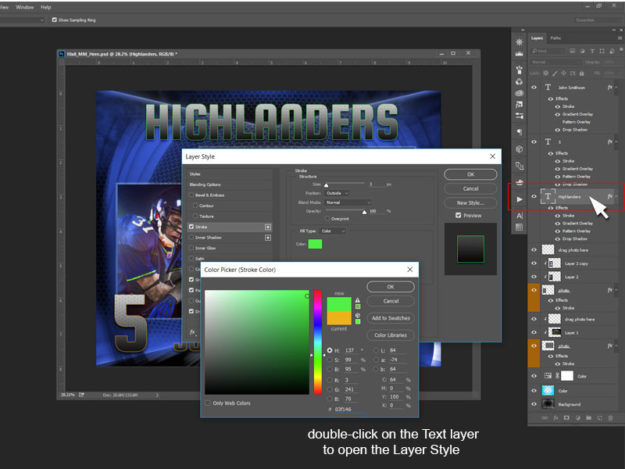
Complete workflow tutorial for the memory mates templates included in all the sports packages for the different designs proposed (see the complete list of different styles for Baseball). Sports Memory Mates overall Initial Settings 1. Open documents as separated windows not in tabs Go to top menu Edit / Preferences / Workspace and uncheck the…
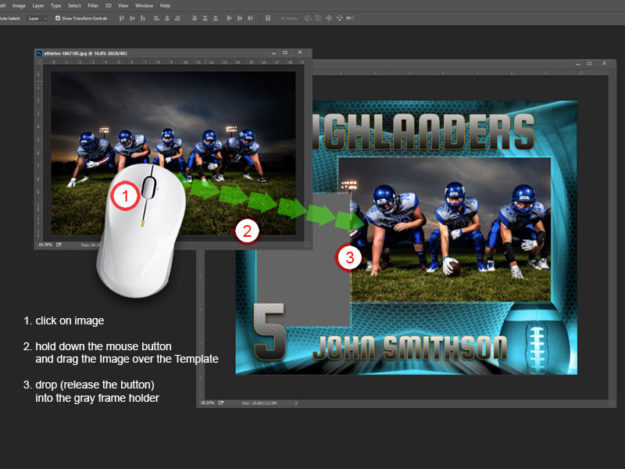
This is a Photoshop tutorial for the easy method to add images into arc4studio‘s templates. Please note that an empty “clipped” layer is on top of each frame holder as part of the templates multilayered structure. In this tutorial we used a memory mate from the Football Legends series of 9 Photoshop templates. 1.…
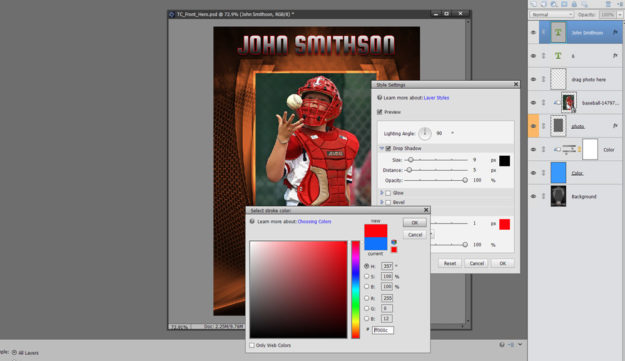
How to use arc4Studio template (in depth) This is a complete tutorial on how arc4Studio’s templates works in Photoshop Elements. We recommend an initial setup for the open documents as individual floating windows. For that, go to Edit – Preferences – General and check “Allow Floating Documents in Expert Mode“. To start, we need to…
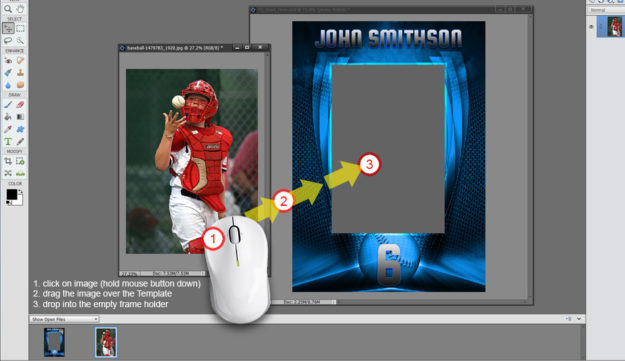
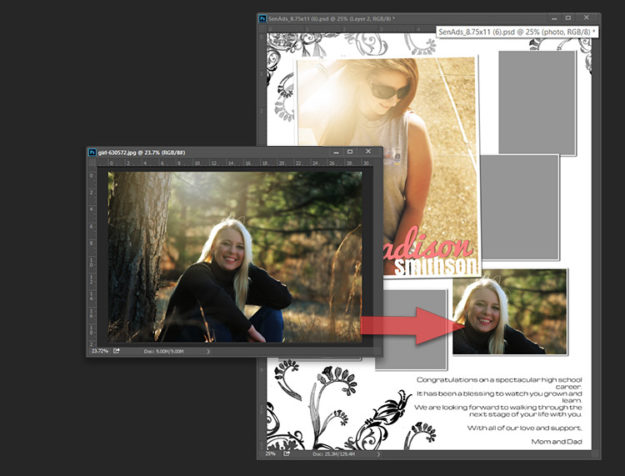
Drag and Drop (quick method) This is a short tutorial about how to add images in Photoshop Elements in few steps using the “Drag and Drop” method. Before the beginning, please be sure you are using the Expert mode and the new documents are open as individual floating windows. For this, go to Edit –…
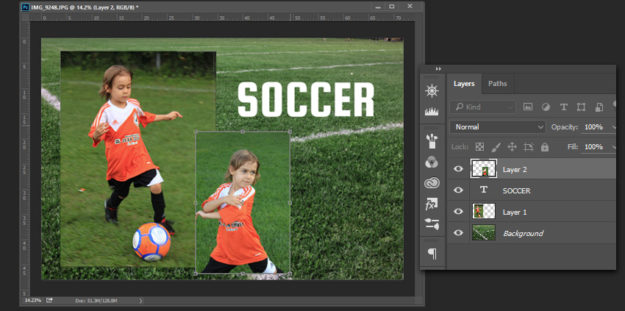
This tutorial presents the basics on understanding layers in Photoshop. For the beginners this could be the foundation to understand how Photoshop could work to improve your photography considerably. For the experienced users we gone review here the clipping mask technique. Let’s start with the beginning and create a simple layout as an example. Be sure…
Drag and drop – easy steps The most appreciated feature of ARC4Studio’s pre-made templates is the easiest way to add images into the designated frames. Based on the “clipping mask” method in Photoshop, the newly added images will be nicely incorporated into the frame shape after a simple drag and drop action. Here are all…